Interaction & Product Design / Team Project
Taobao AI
Workshop
During my UX design internship at Alibaba, I worked with one teammate on Taobao AI Workshop, an interface concept that helps merchants create and manage product images with AI. We developed the project from early low-fidelity planning and visual explorations into high-fidelity interface designs. The screens cover image creation, template selection, batch generation, and asset management.
01 / Visual Direction & Color System
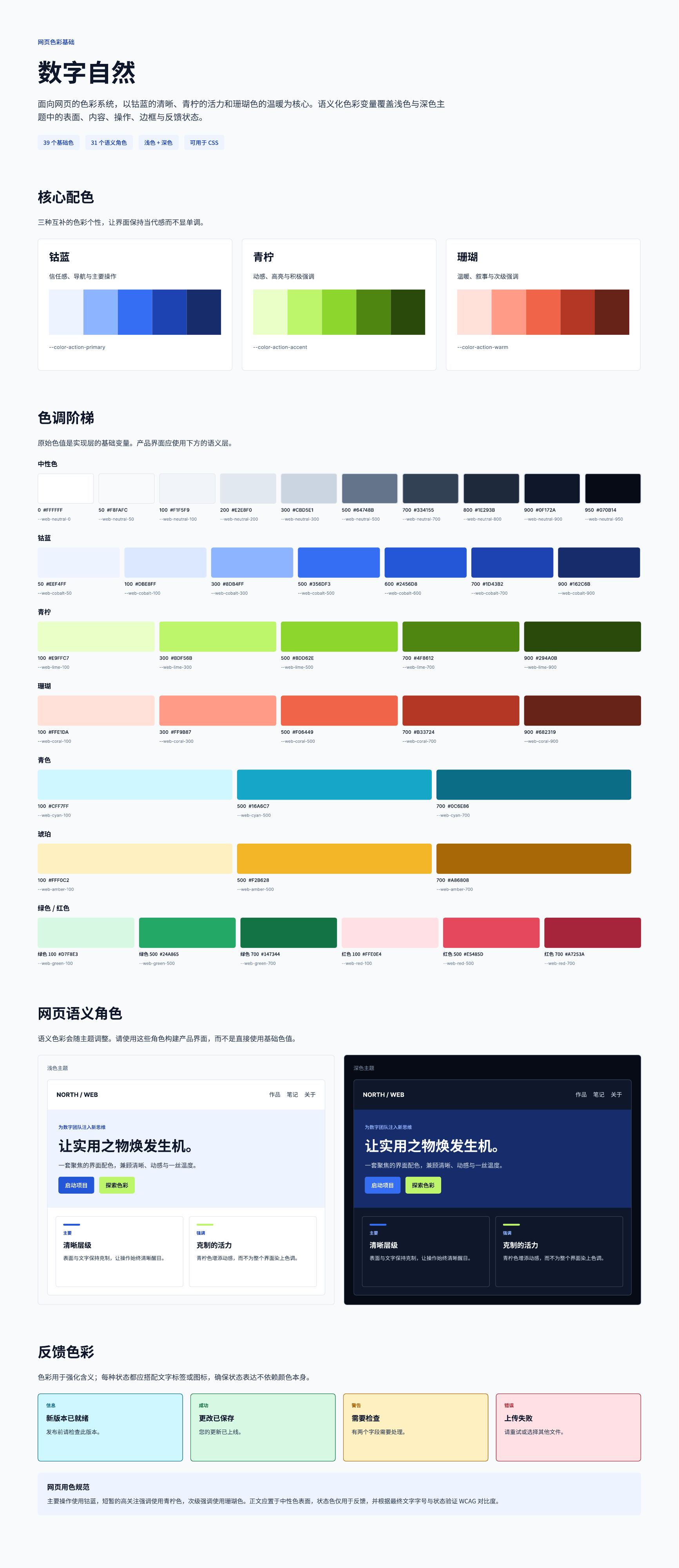
Web Color Foundations
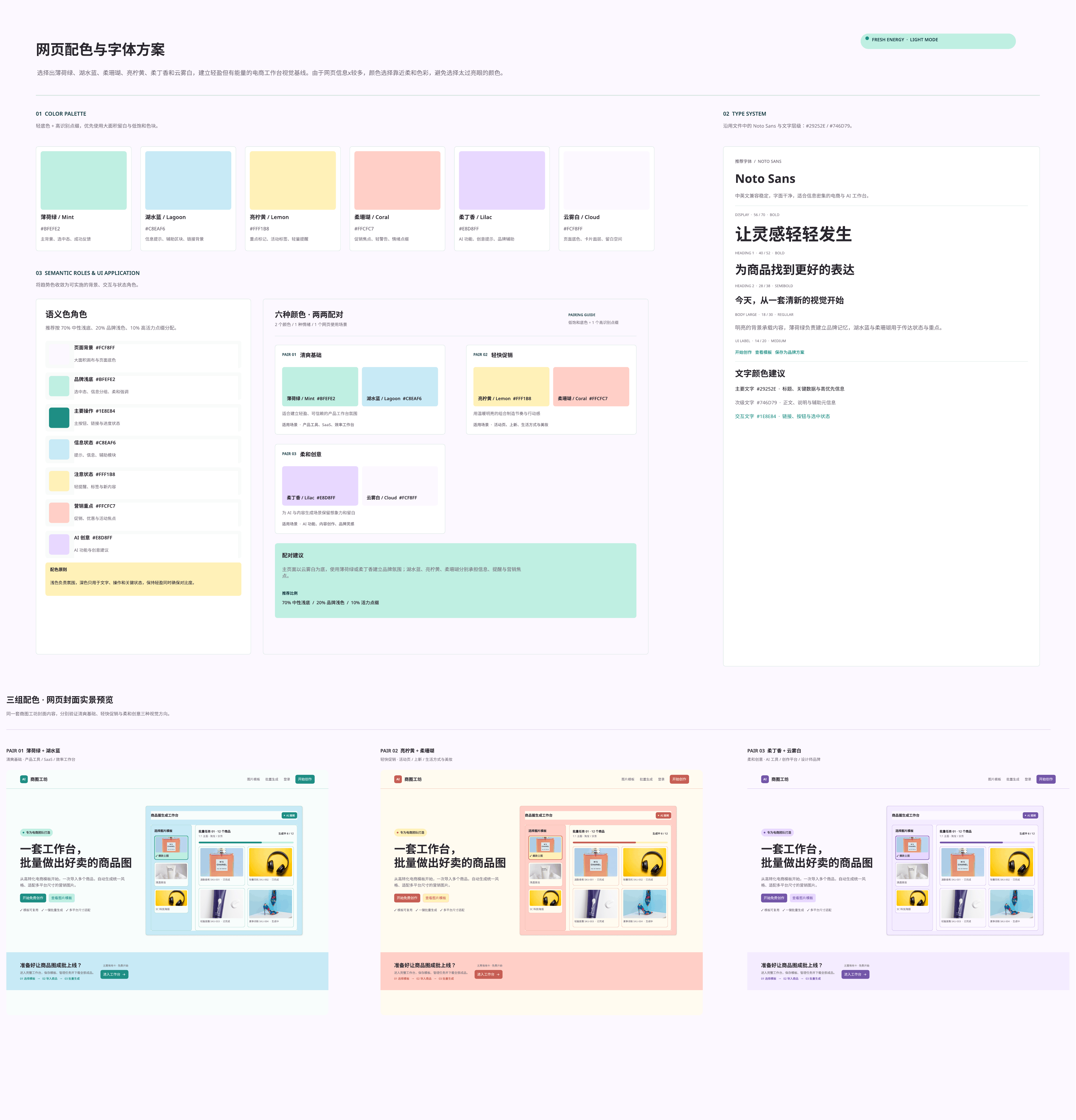
Color & Typography Exploration
02 / High-Fidelity Interface Design
A. Homepage
An entry point to AI-assisted product image creation and batch workflows.
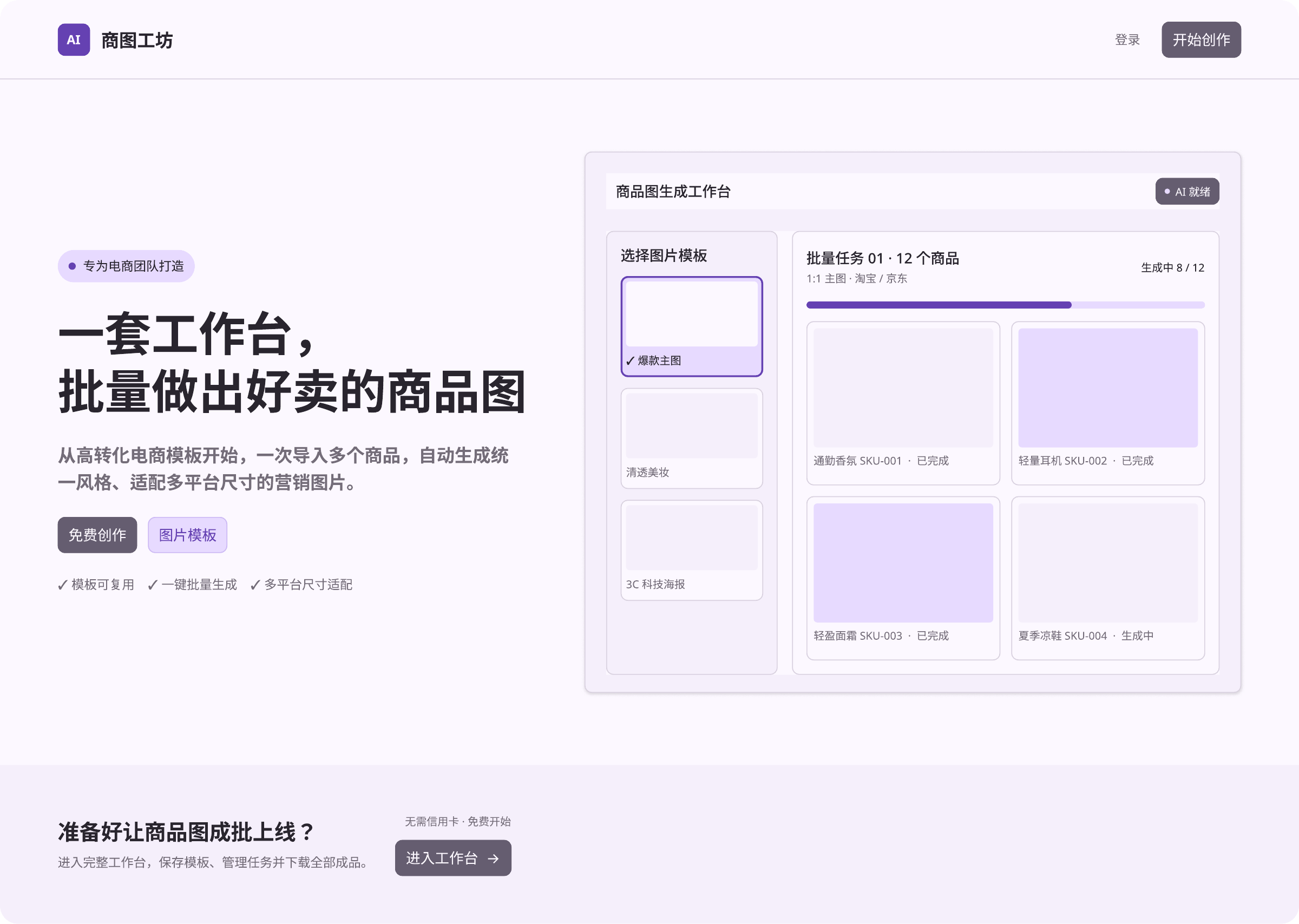
Homepage
B. Workbench
Create product images from uploaded information, compare AI-generated options, refine details, and save the selected result.
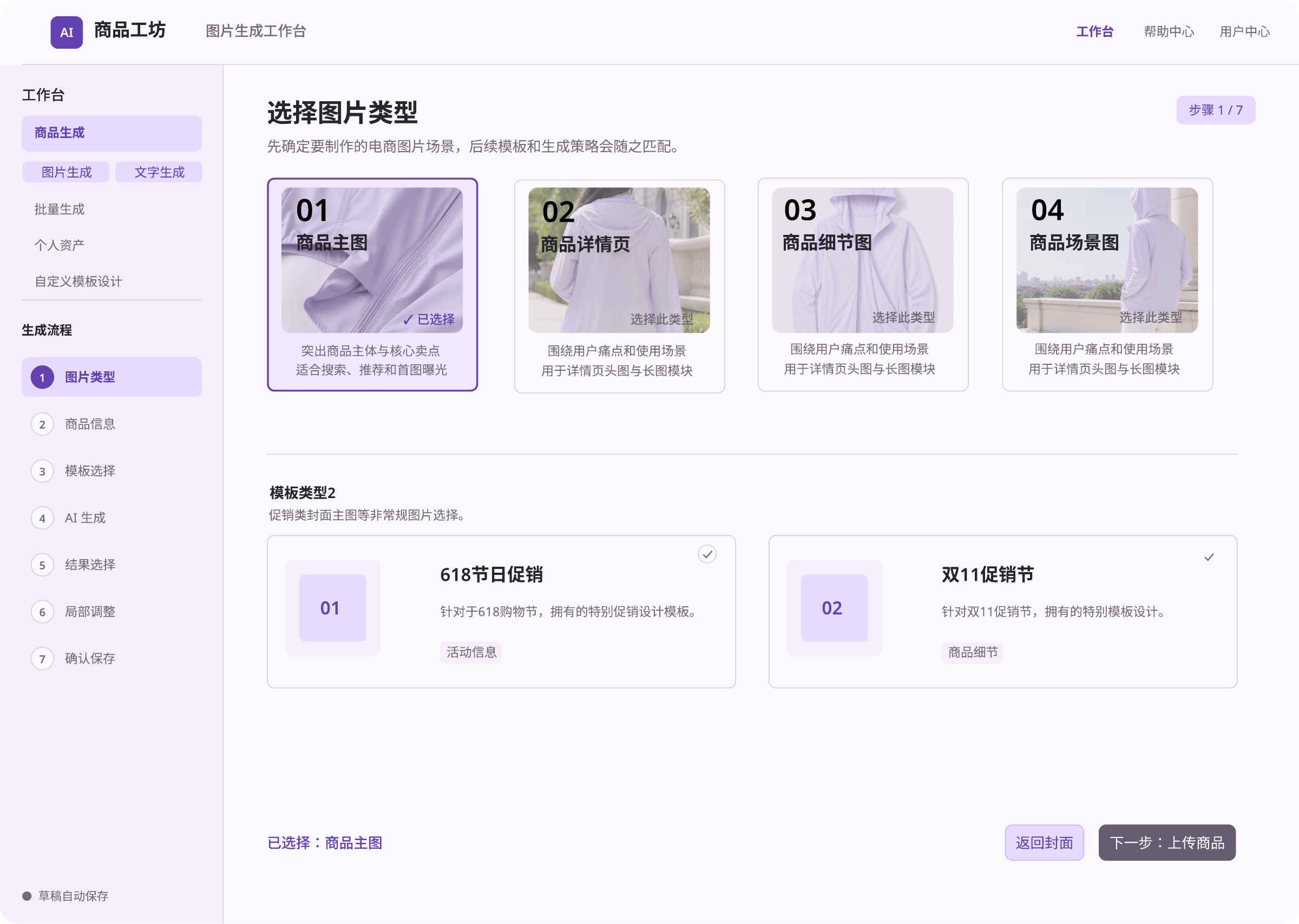
Image Type Selection
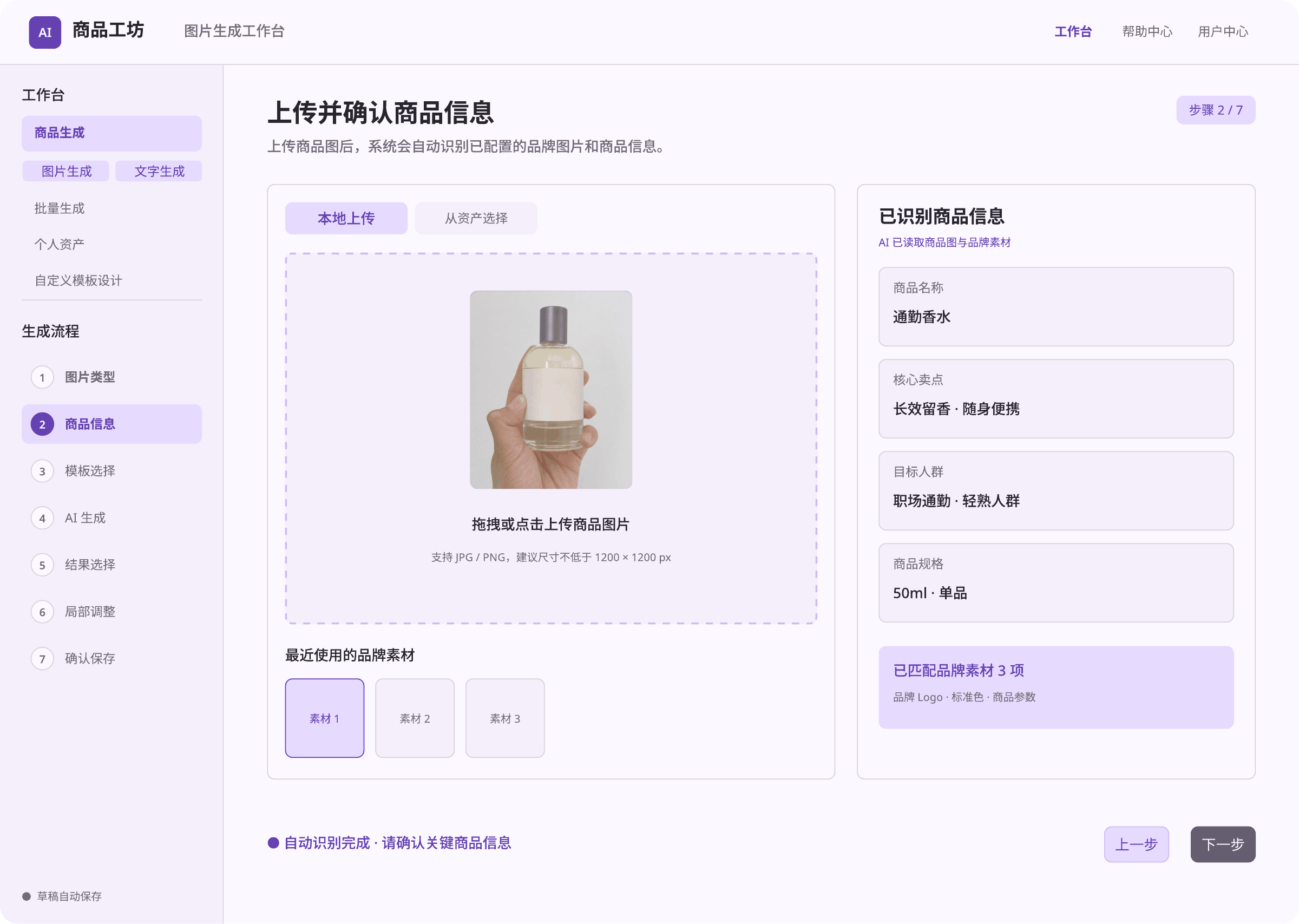
Product Information
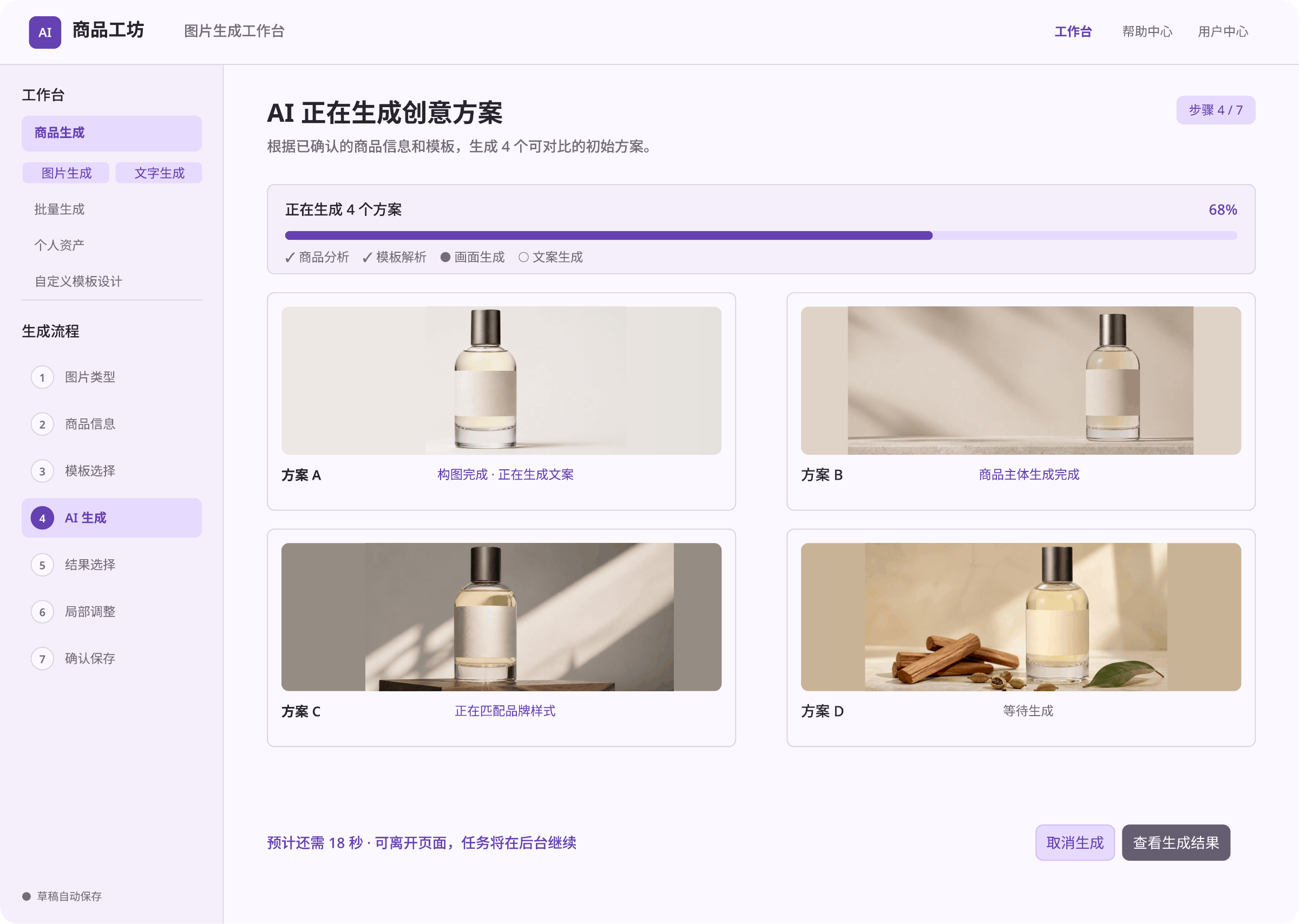
AI Generation
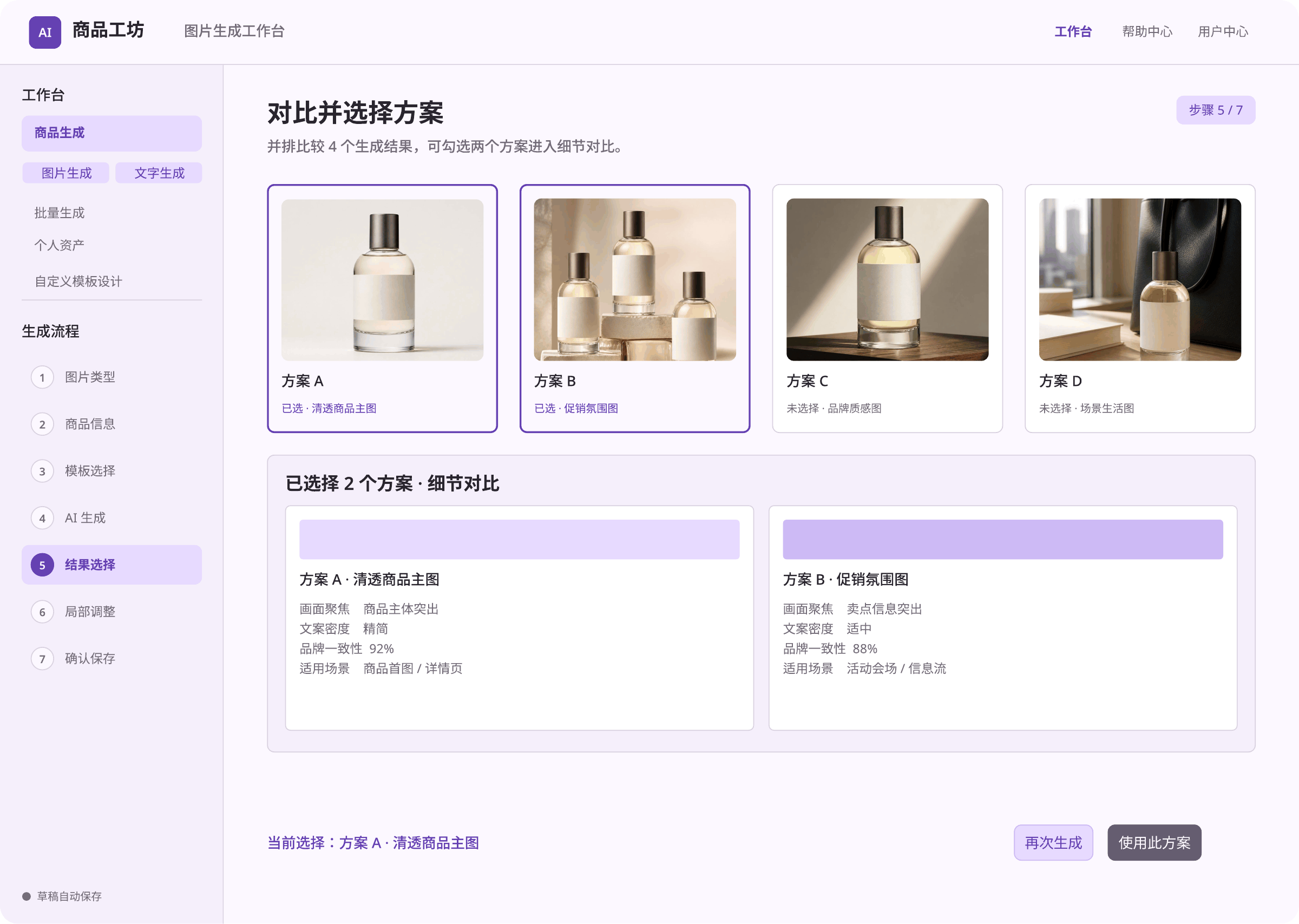
Result Selection
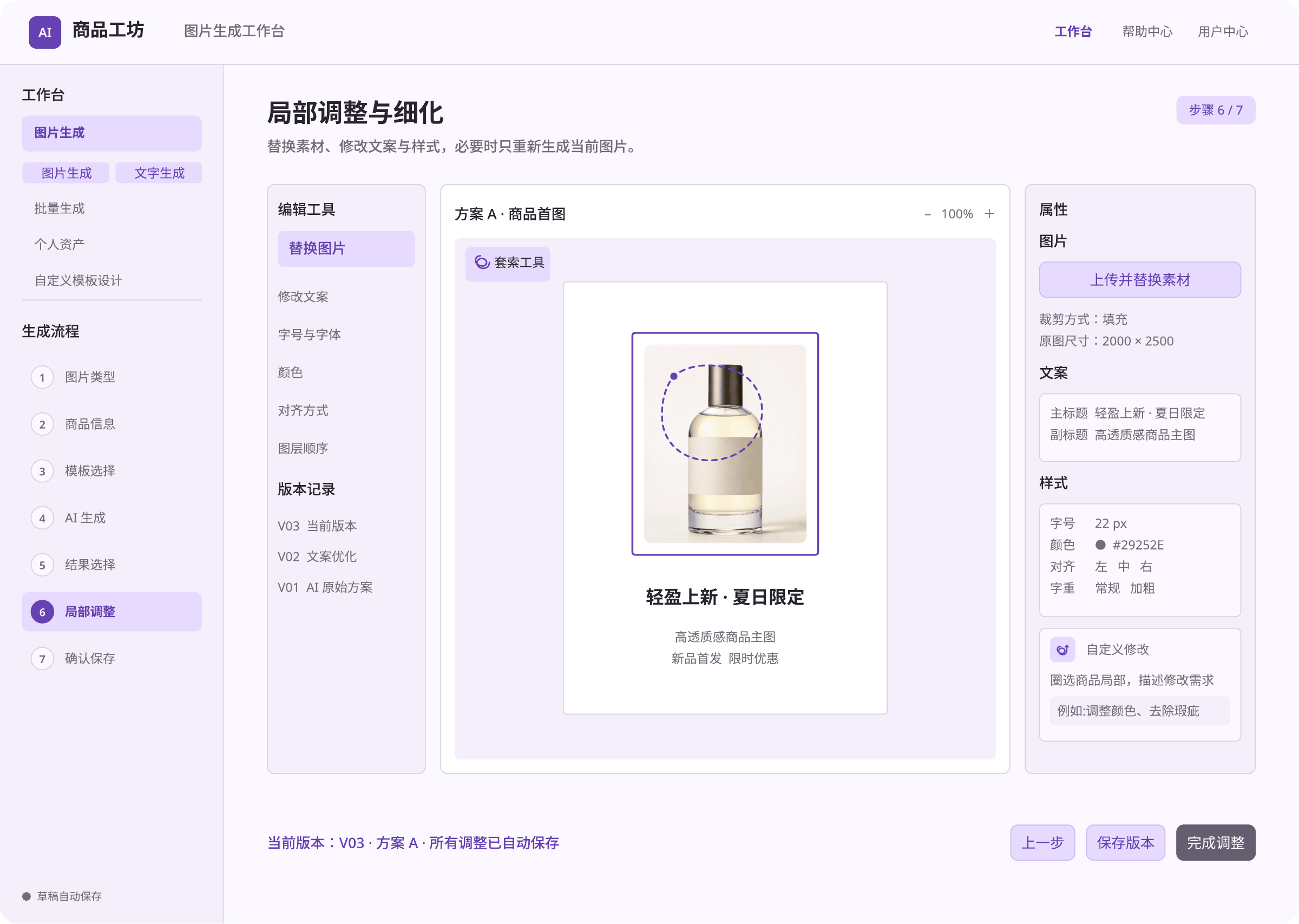
Local Refinement
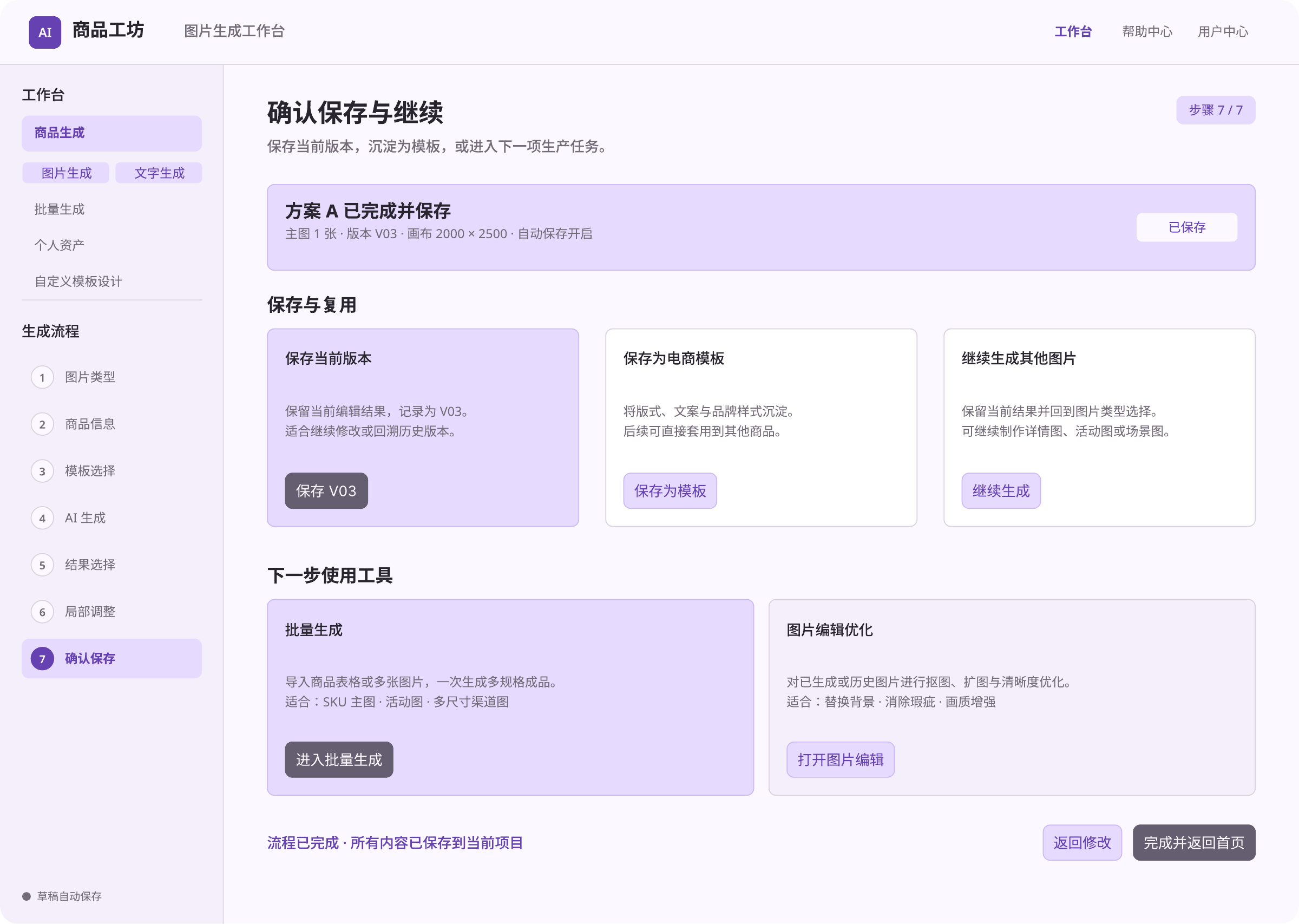
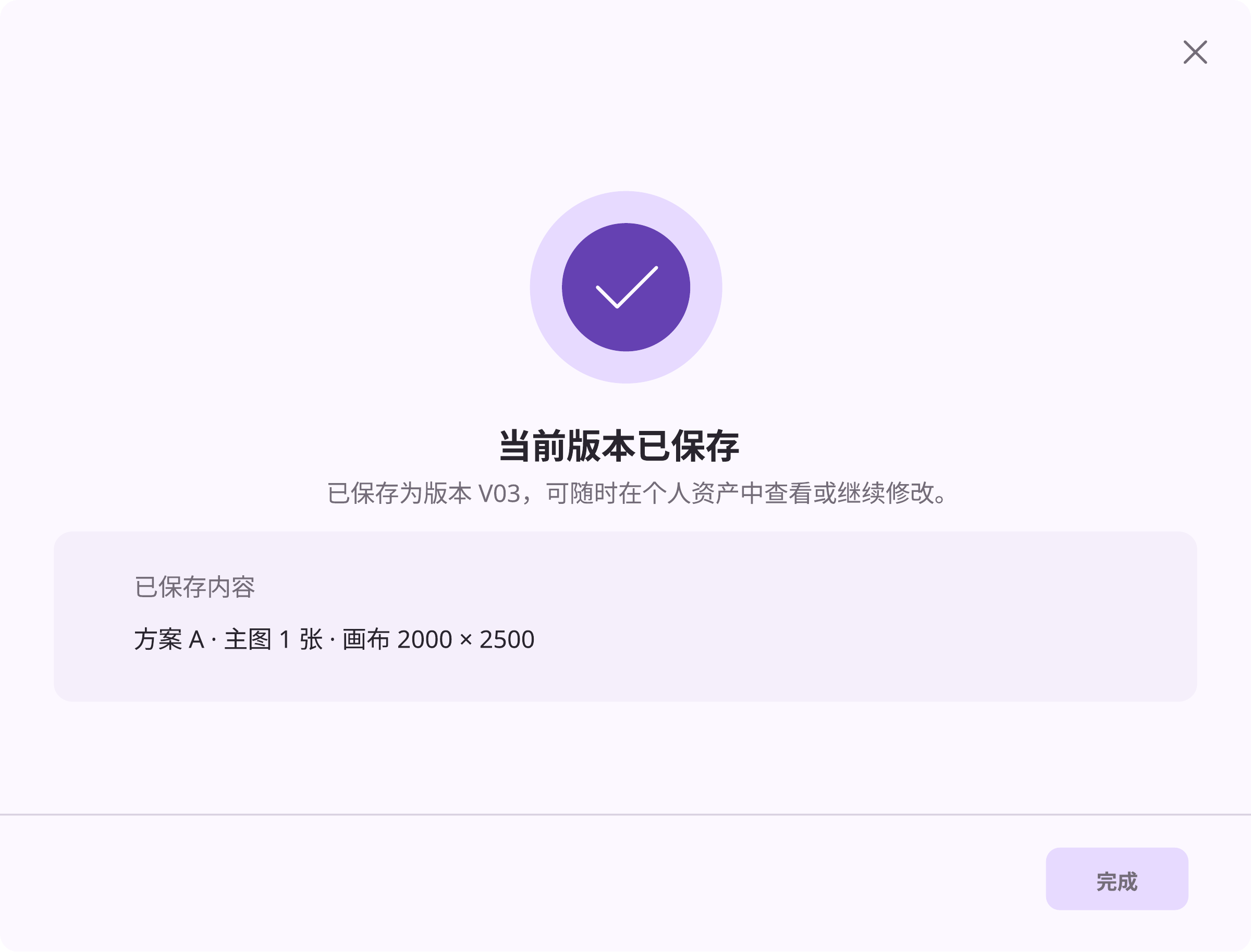
Save and Continue
C. Personal Assets
Organize products, images, and versions in one workspace, with access to saved content and account settings.
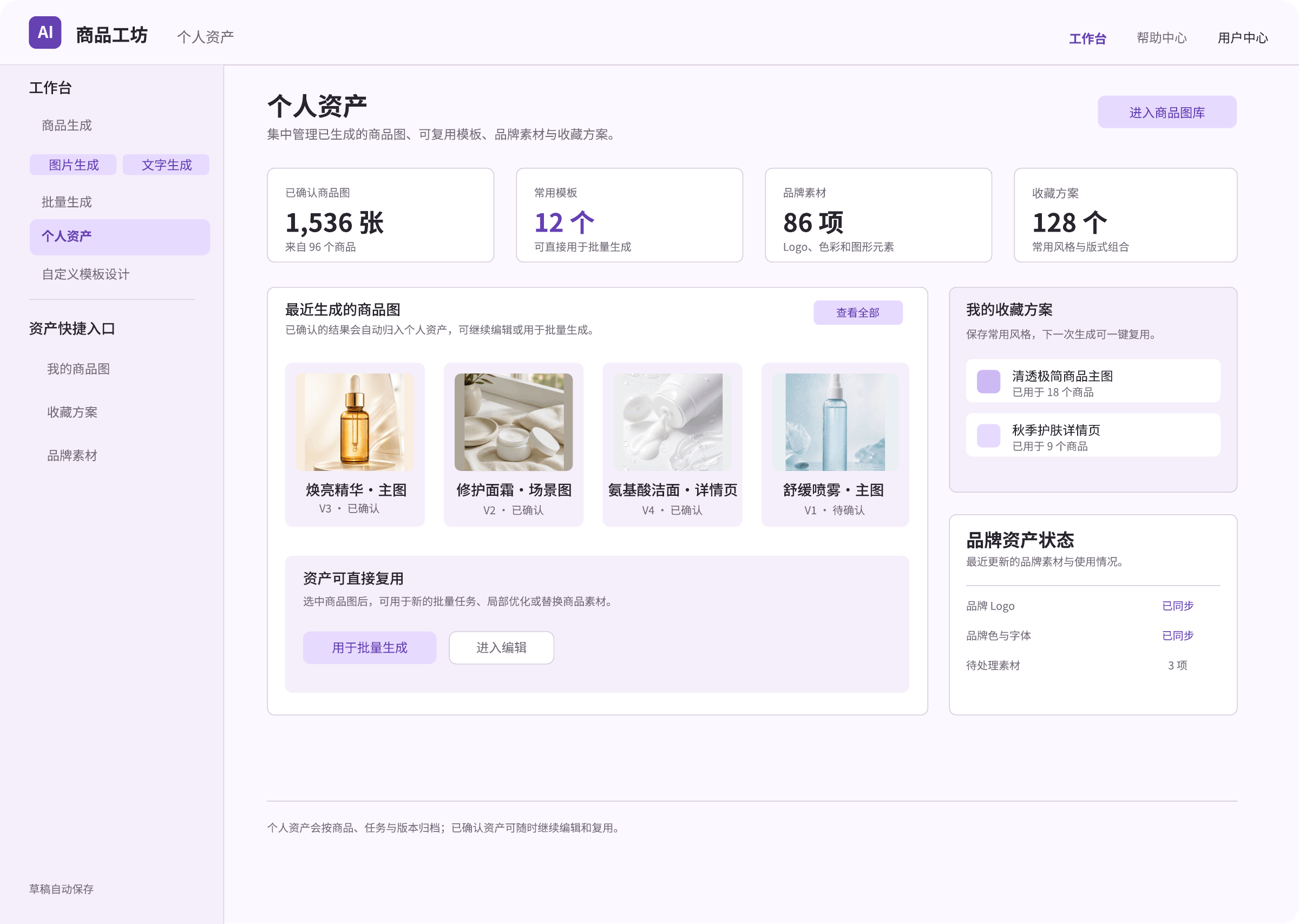
Asset Overview
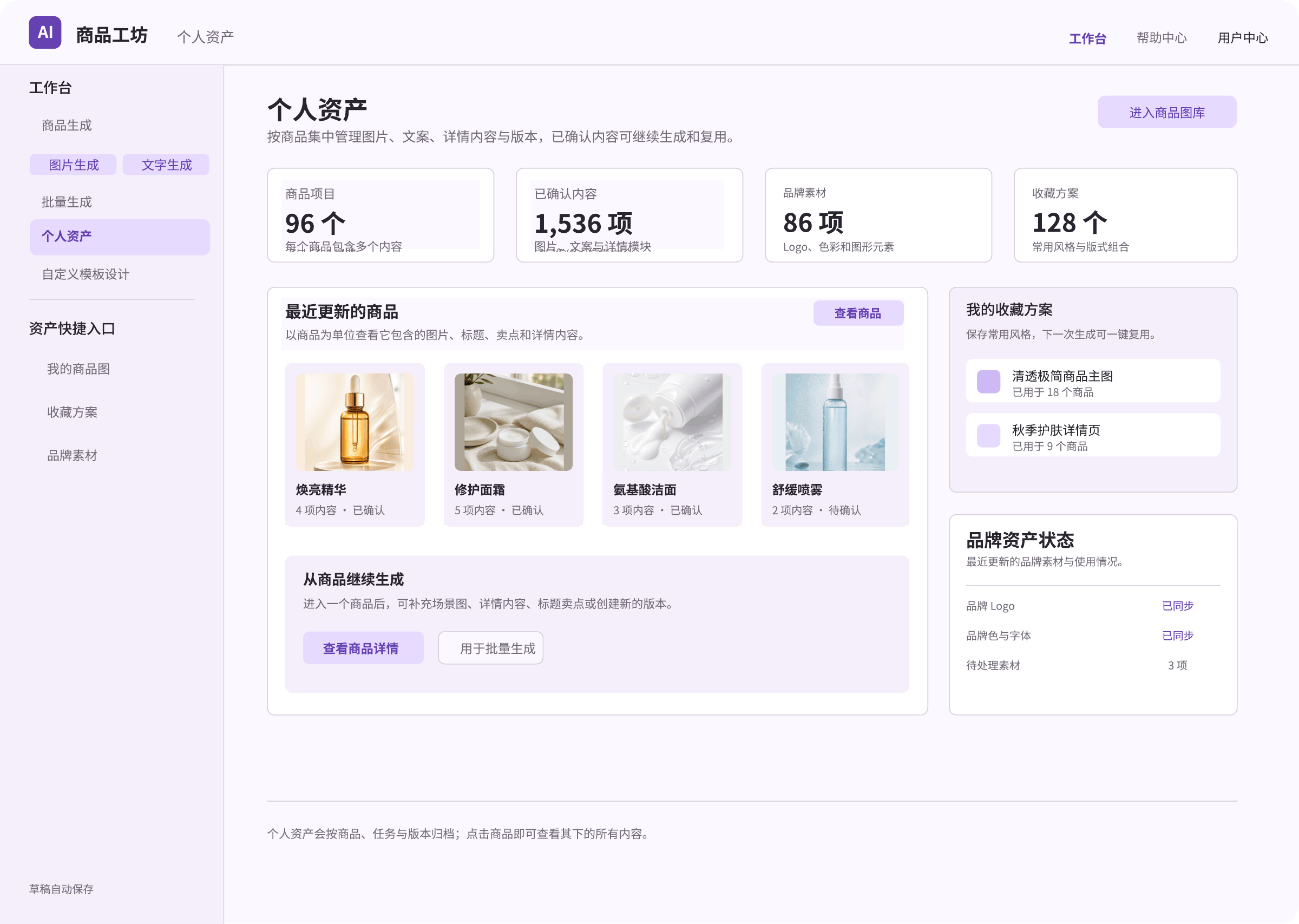
Product-Based Asset Overview
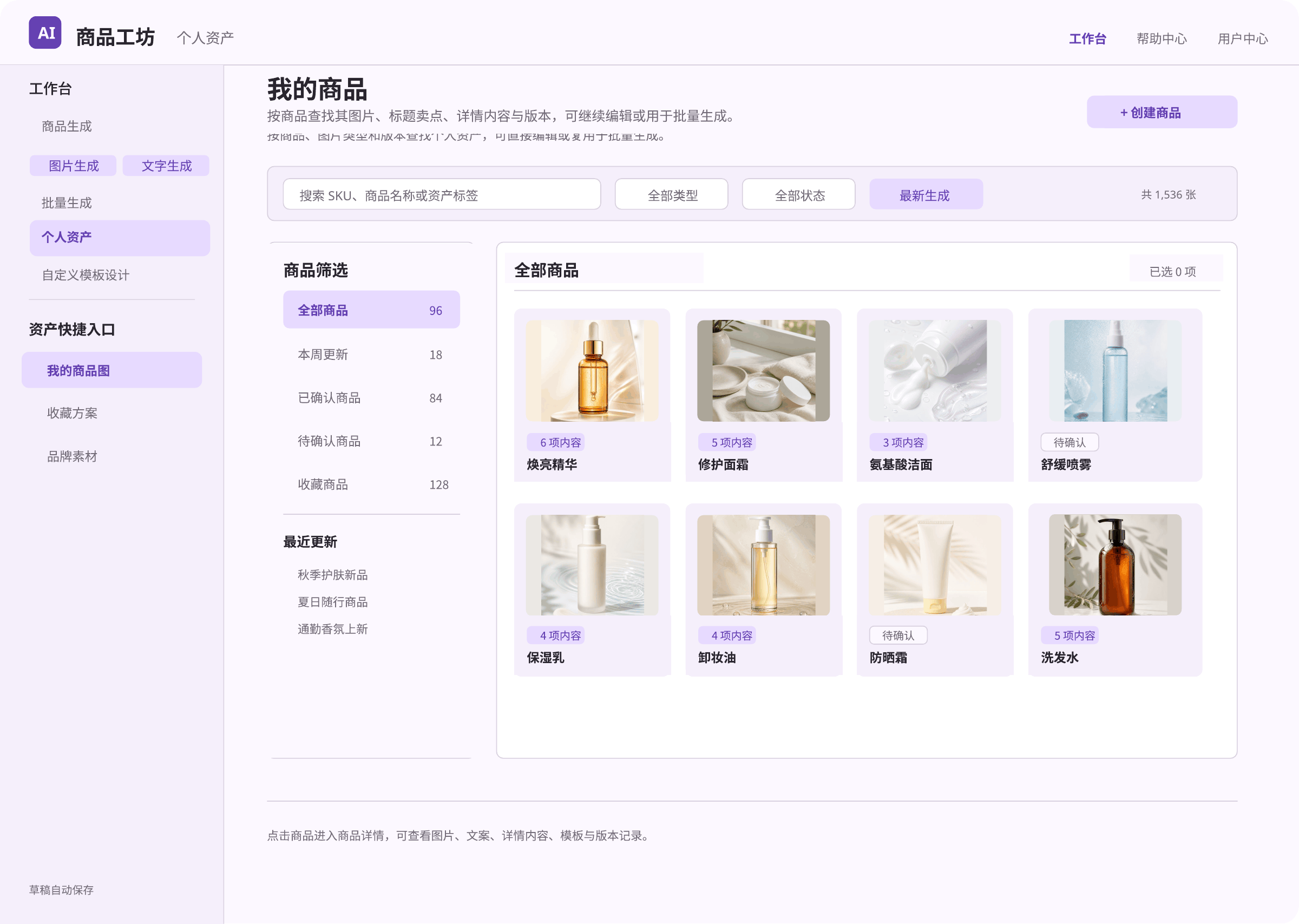
My Products
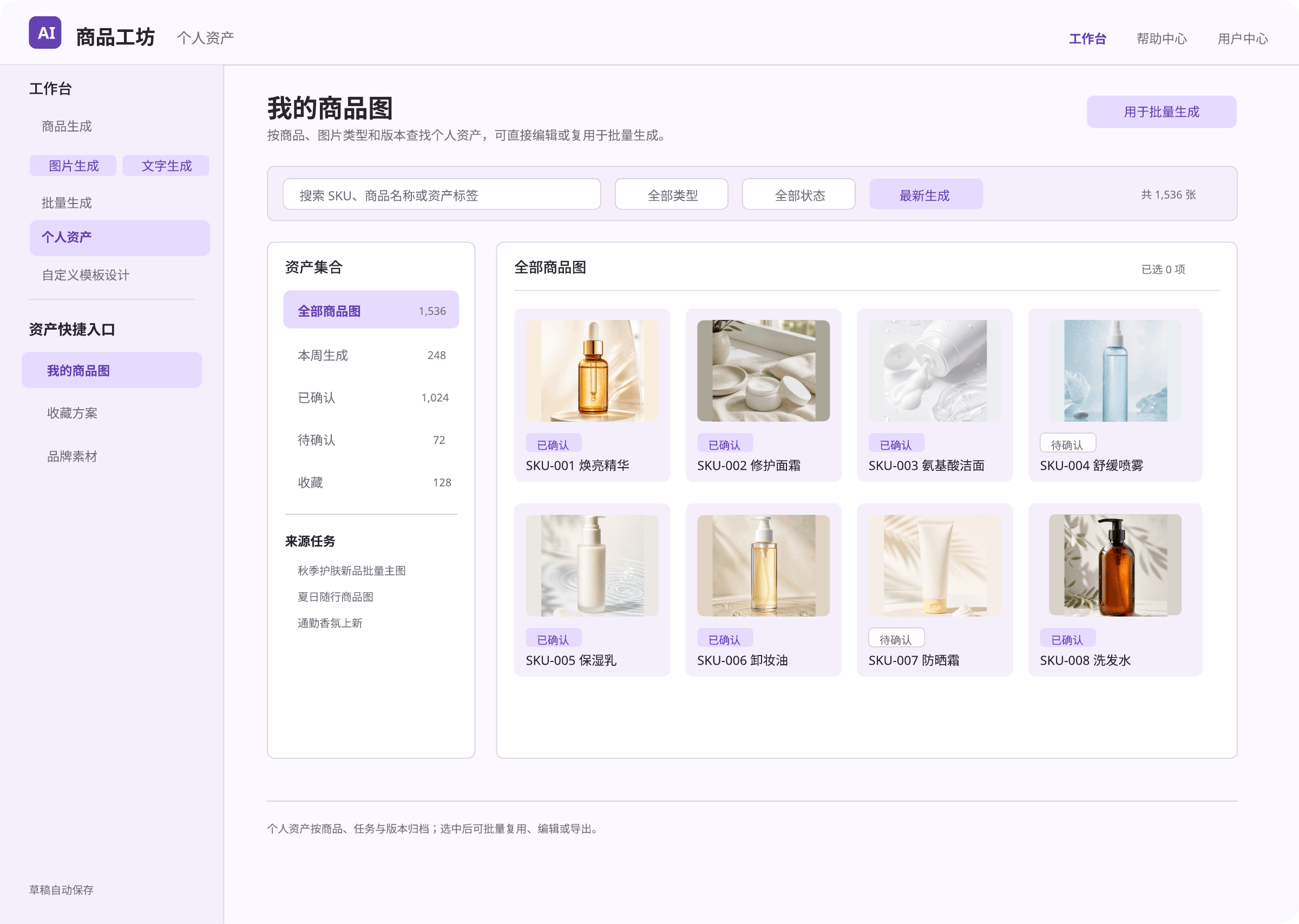
Product Image Library
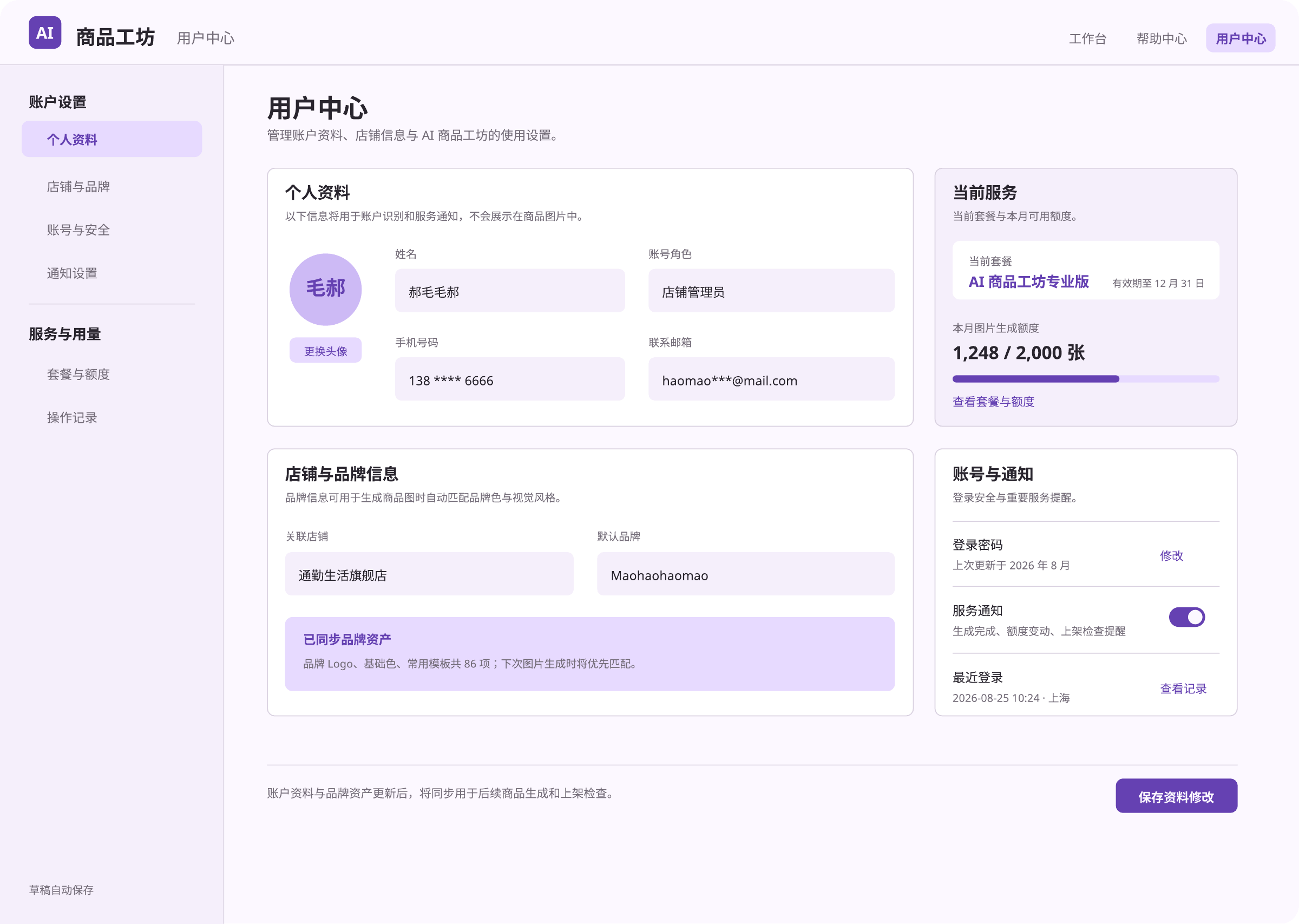
User Center
D. Batch Generation
Import product data, configure generation settings, review results, and save or export images in batches.
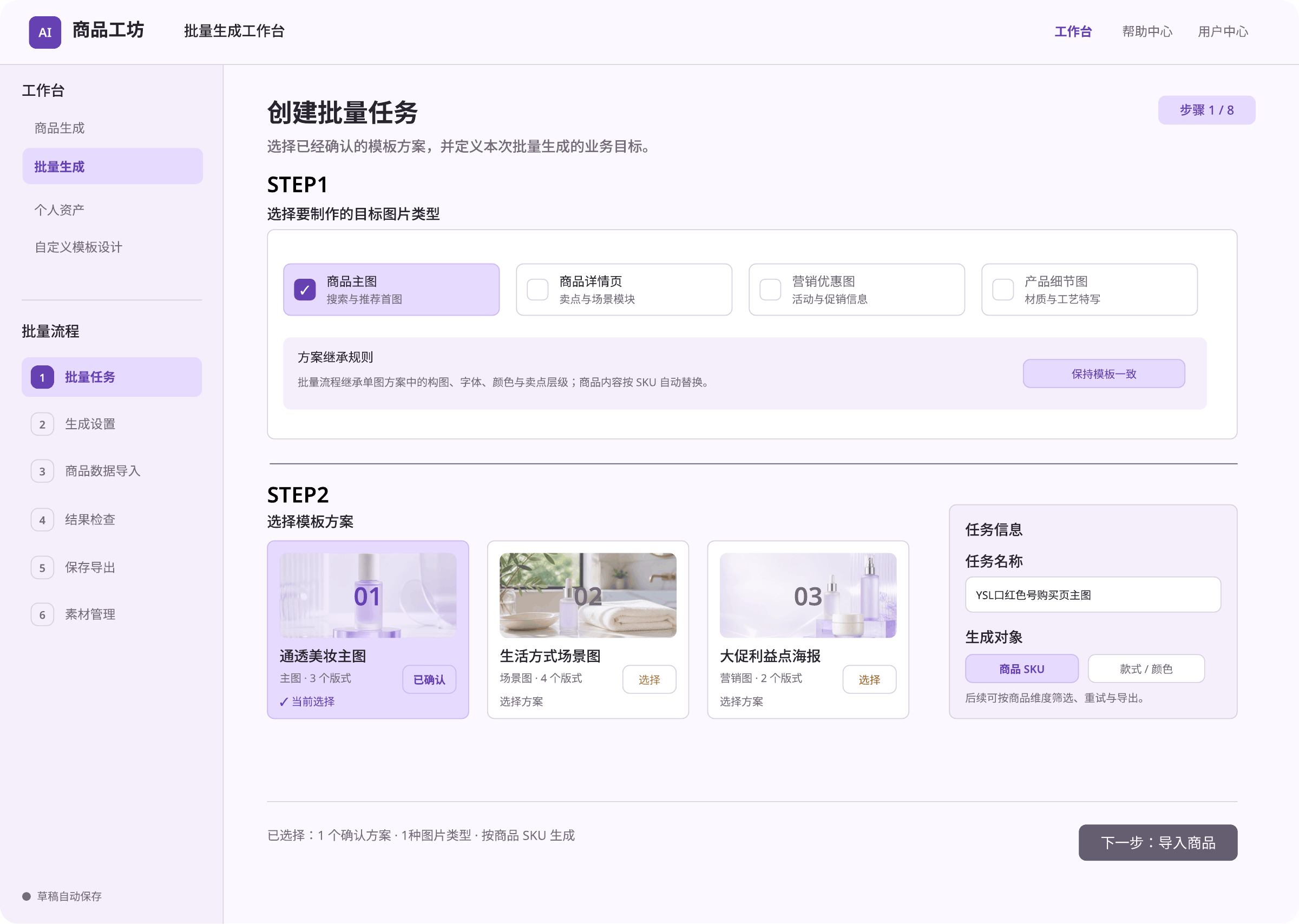
Create a Batch Task
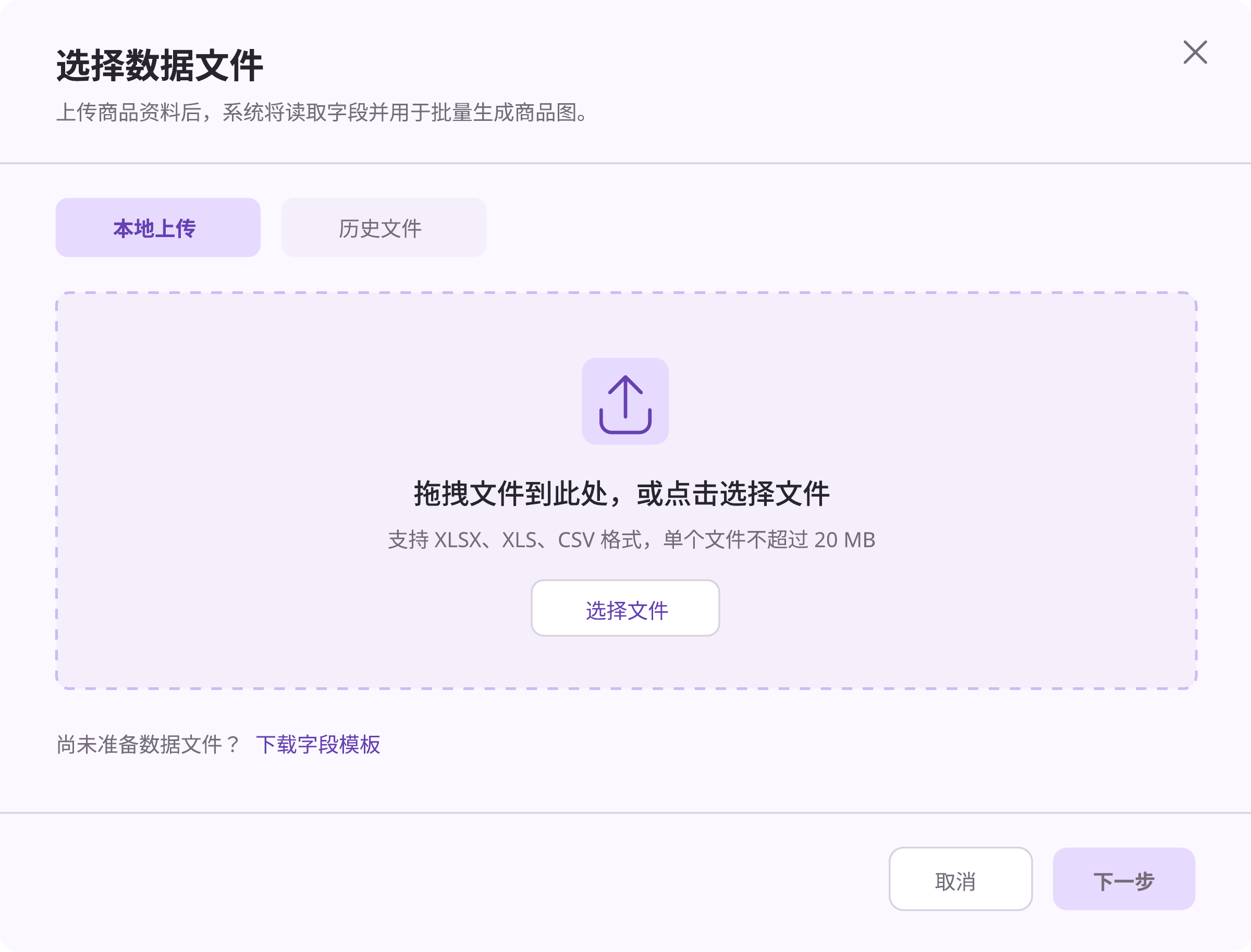
Select a Data File
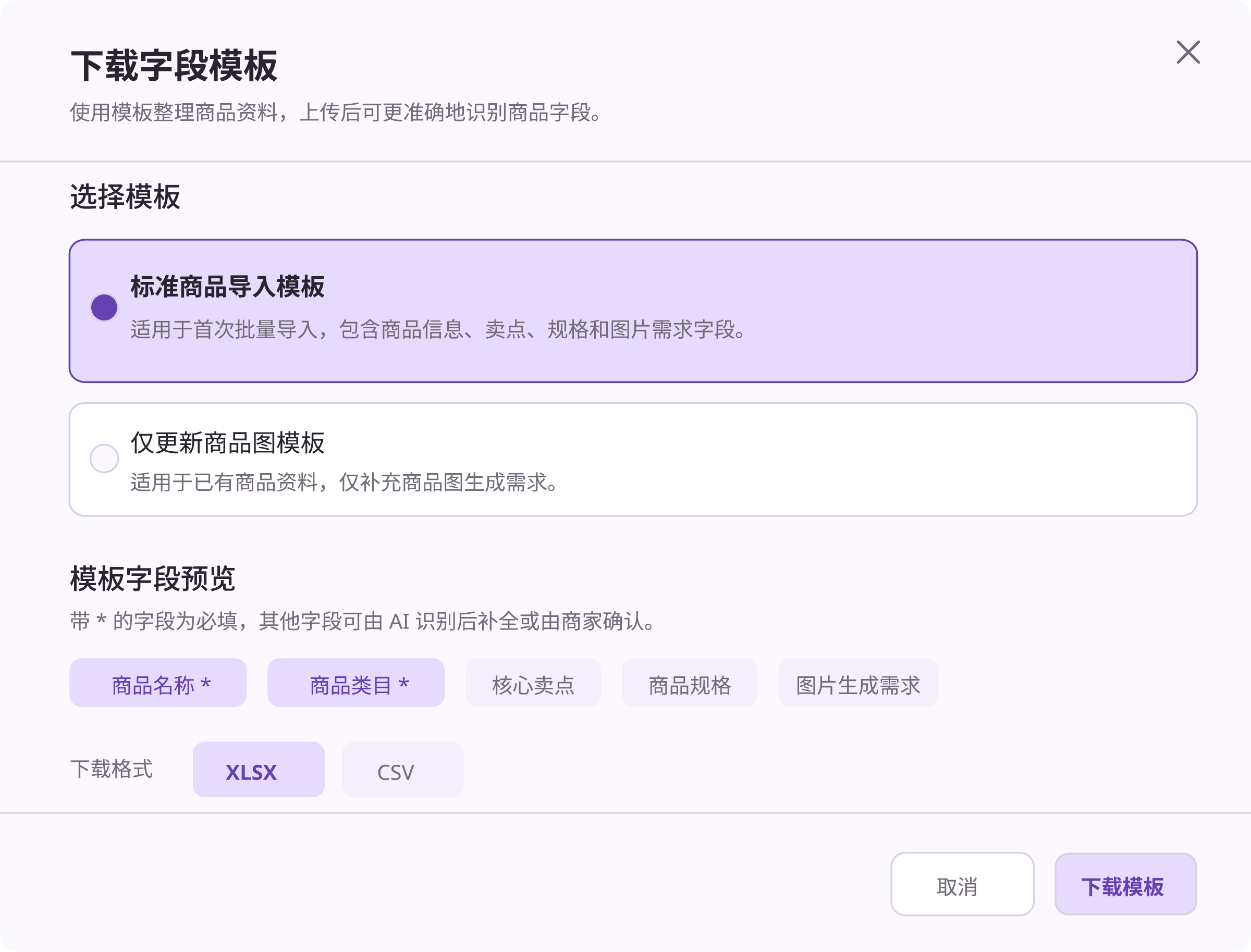
Download a Data Template
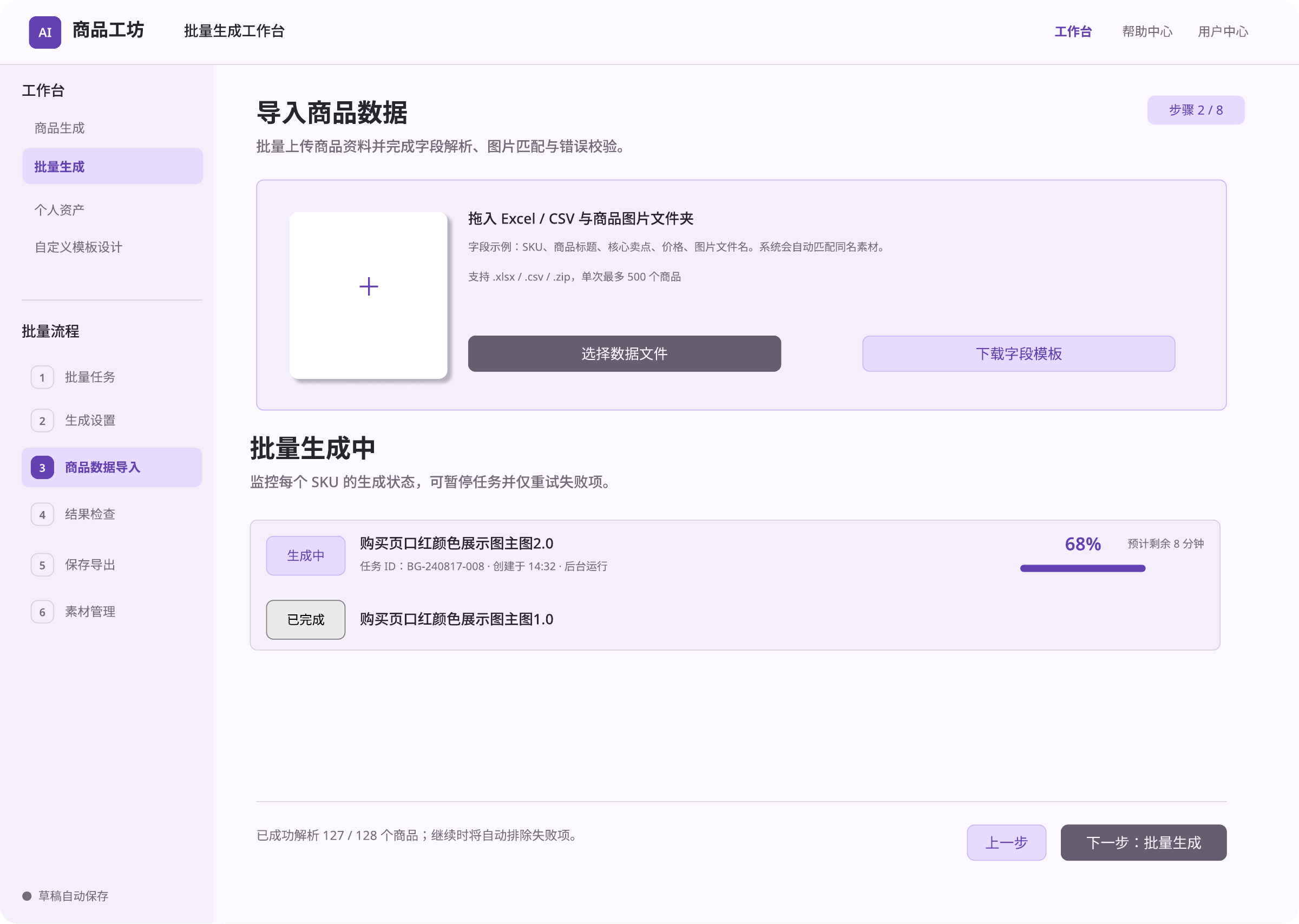
Import Product Data
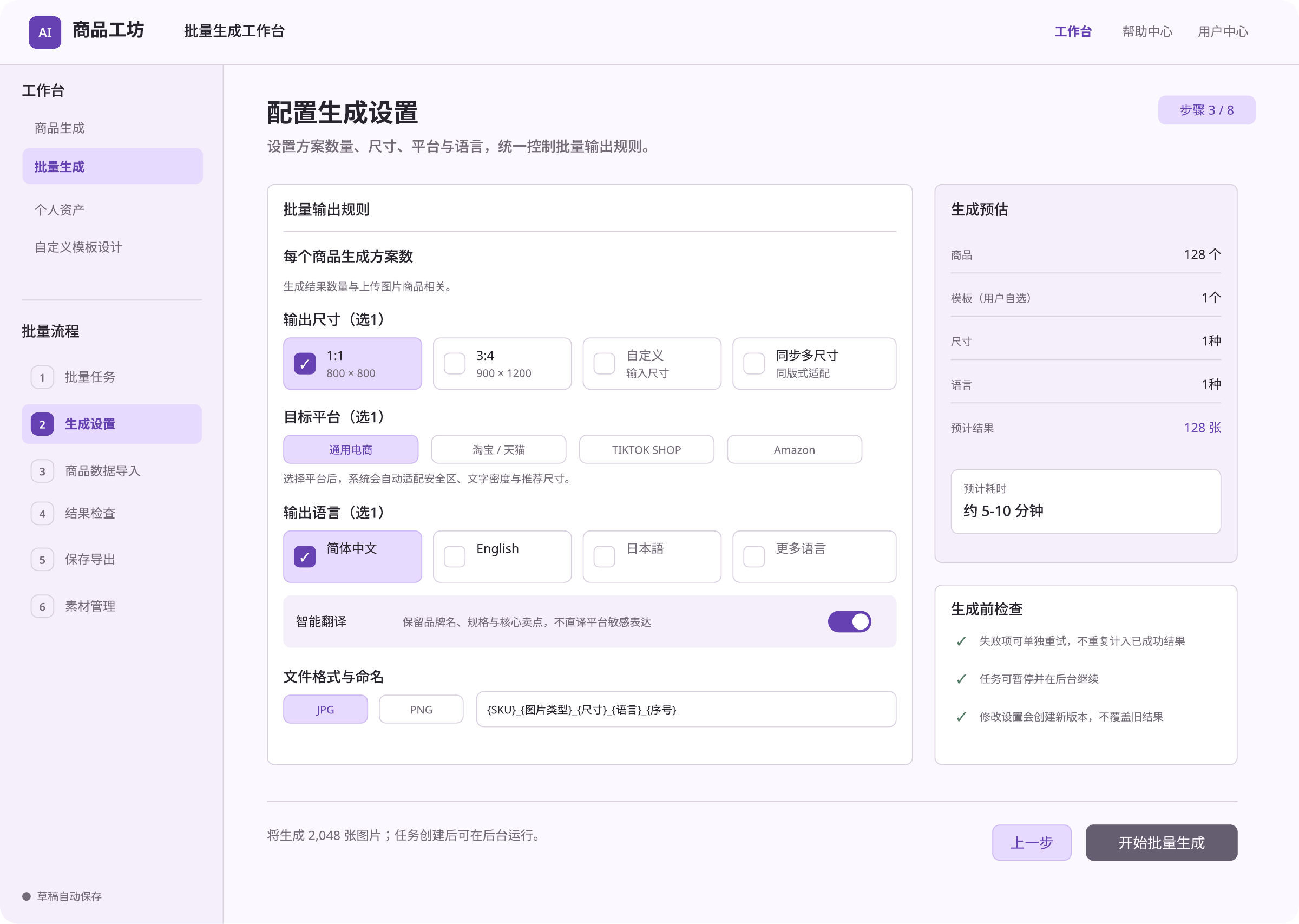
Generation Settings
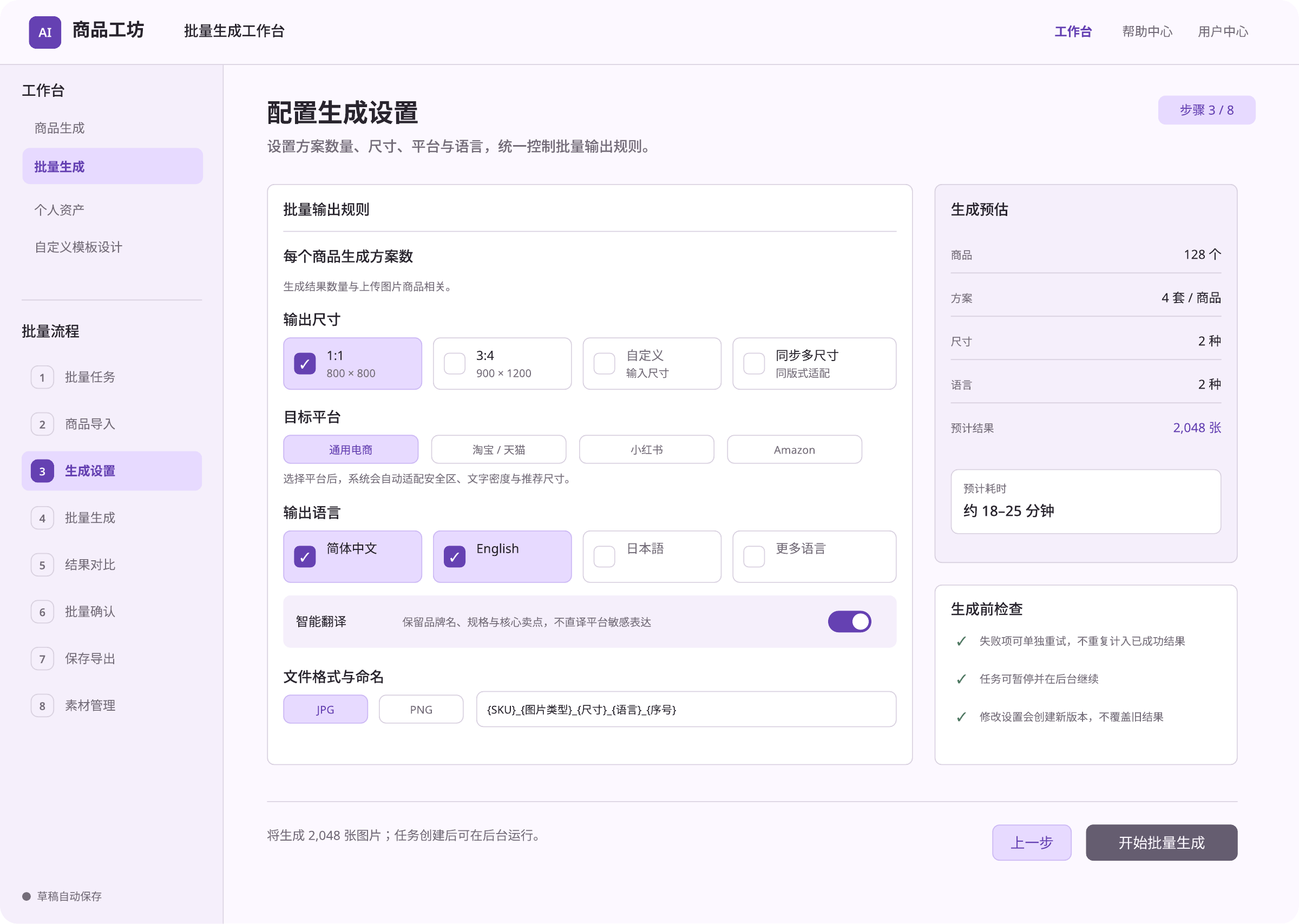
Generation Settings Detail
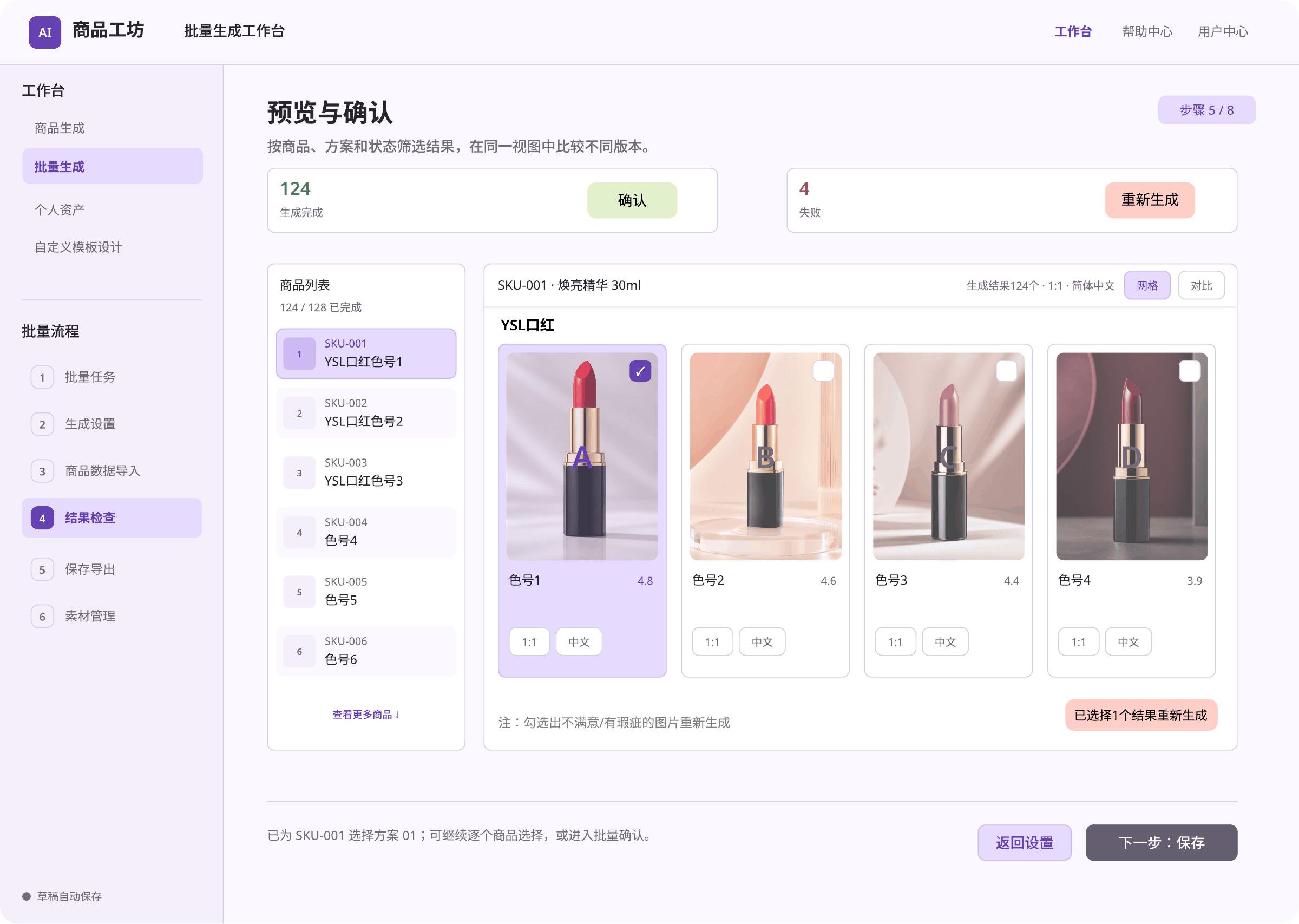
Review Results
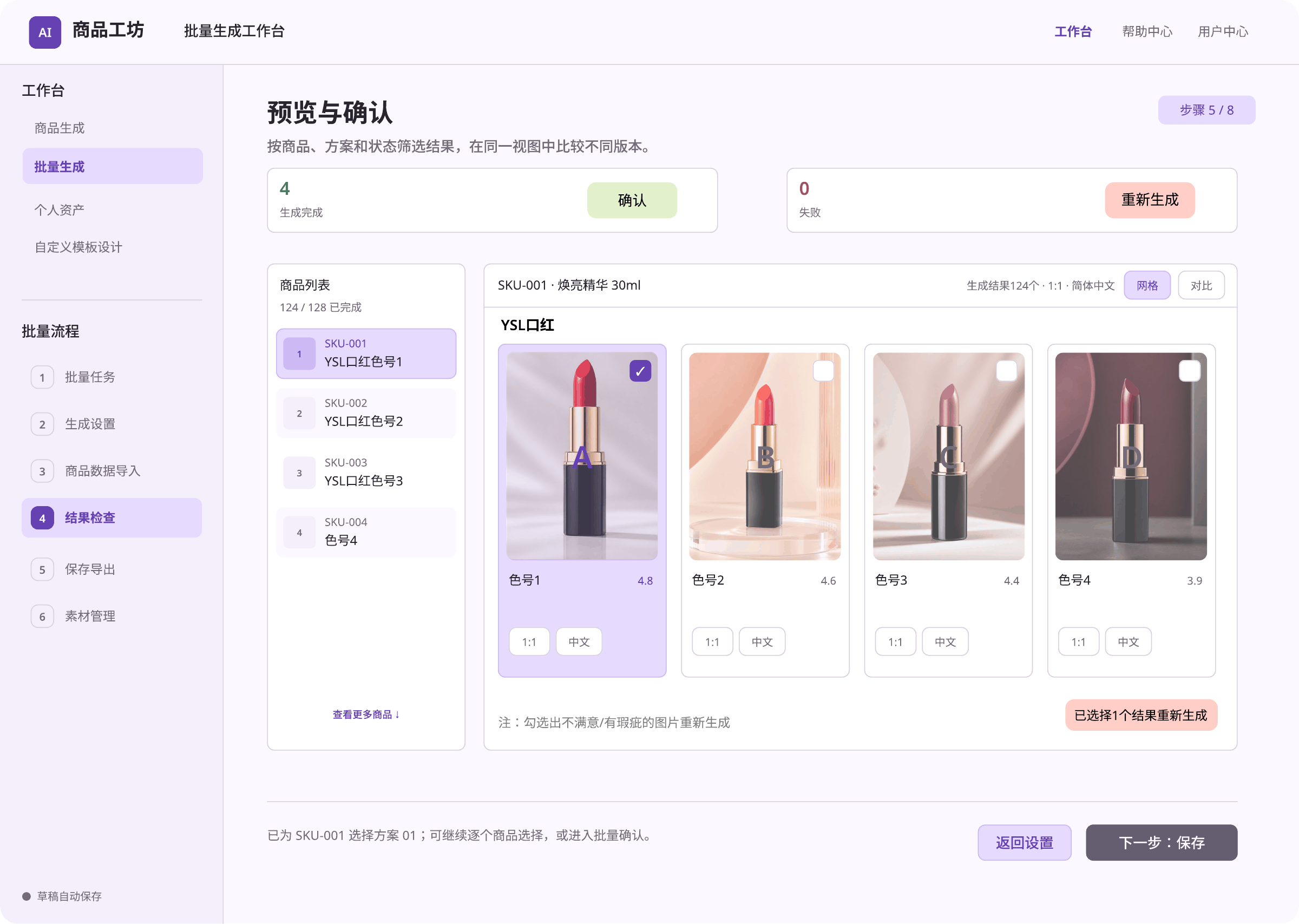
Review Results Detail
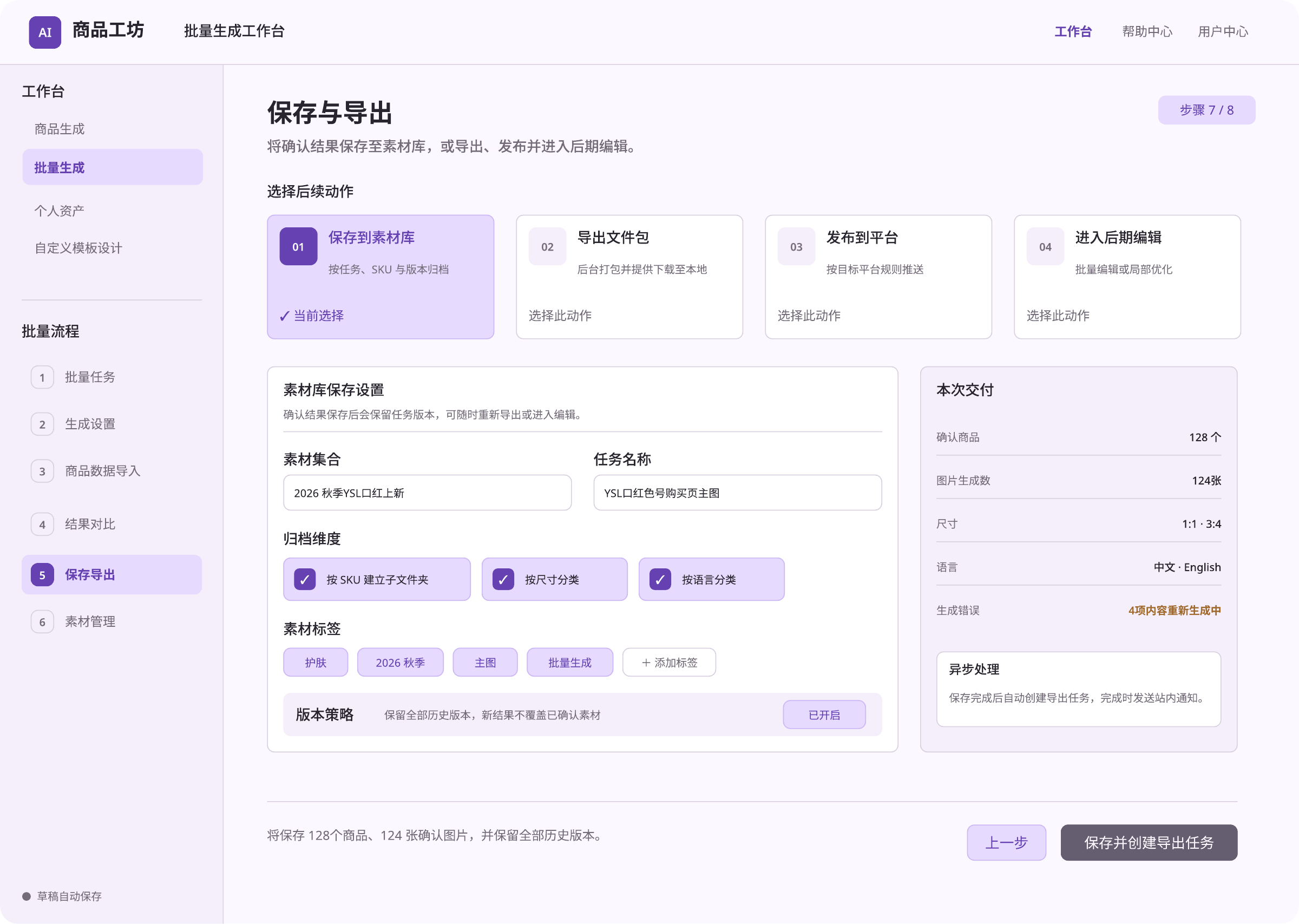
Save and Export
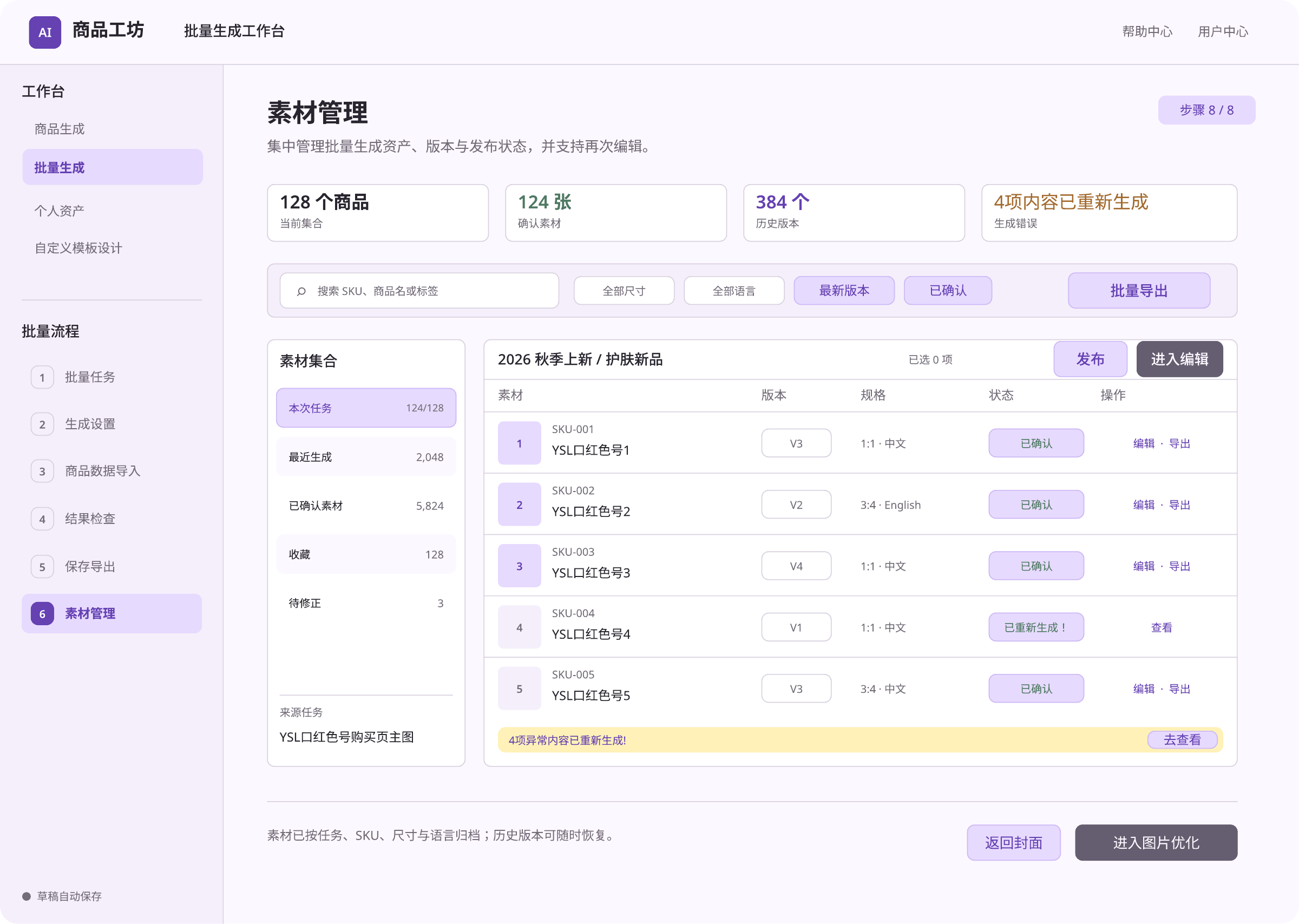
Asset Management
E. Template Selection
Choose a template or start from text, then review and save the generated options.
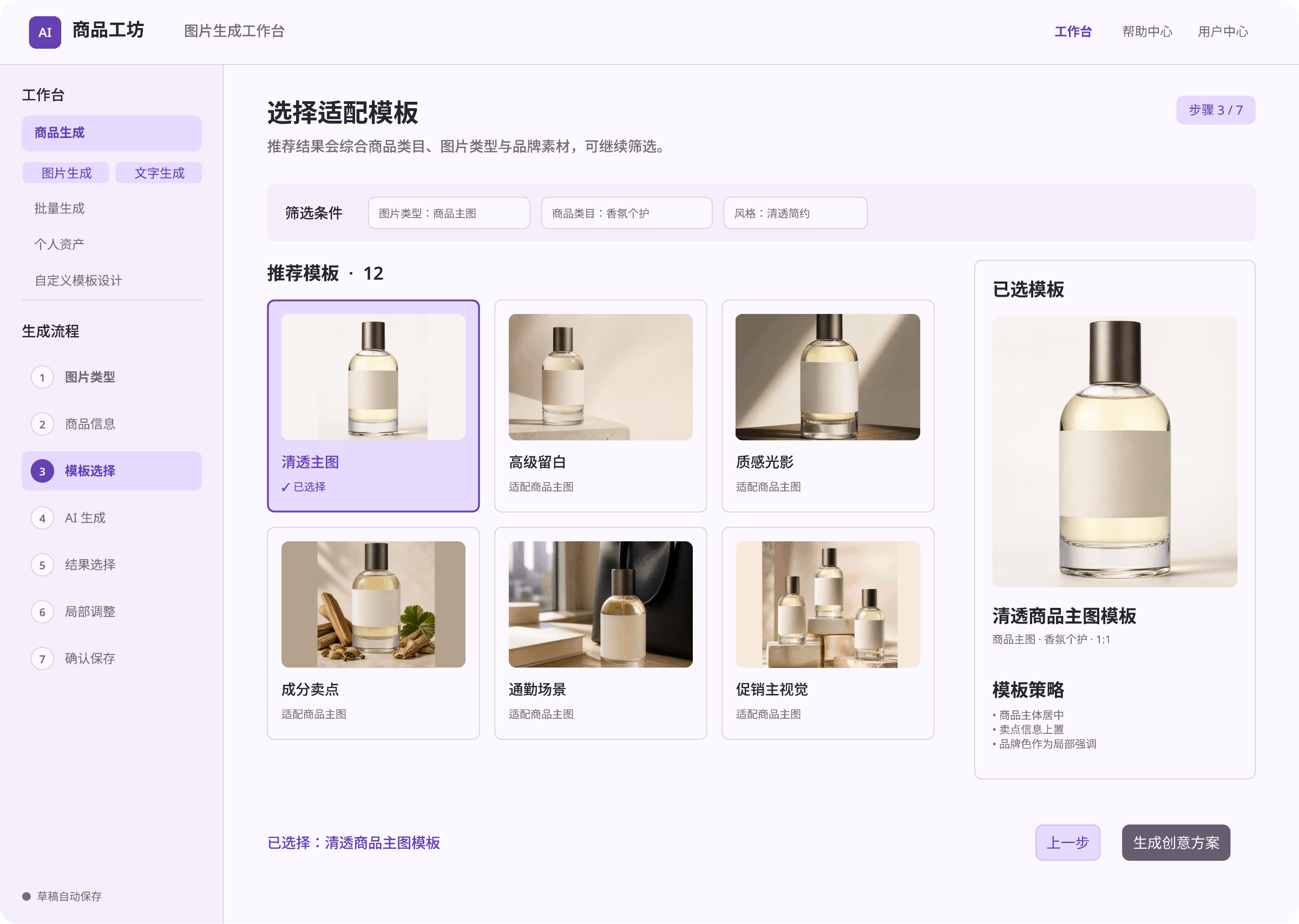
Template Selection
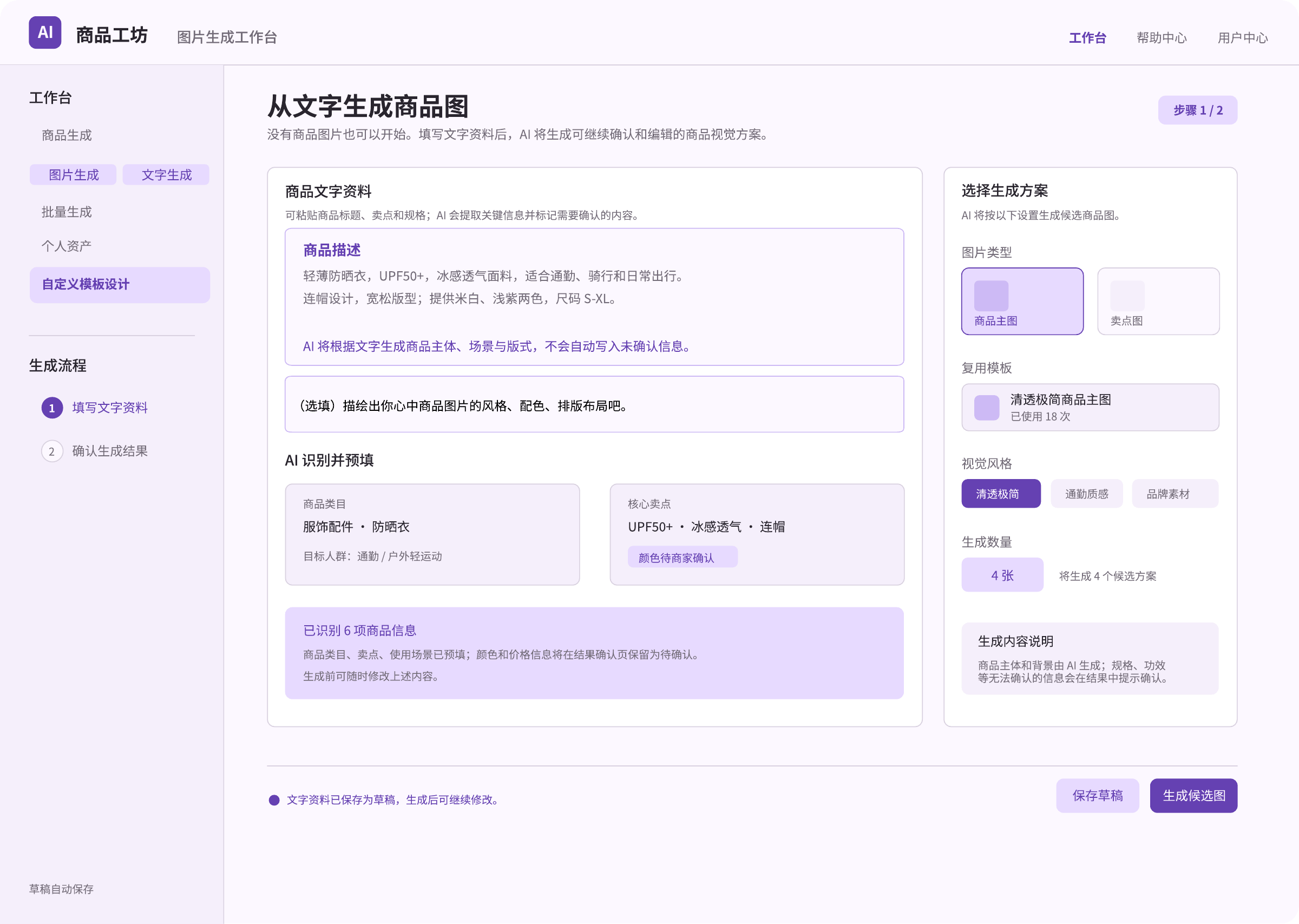
Create from Text
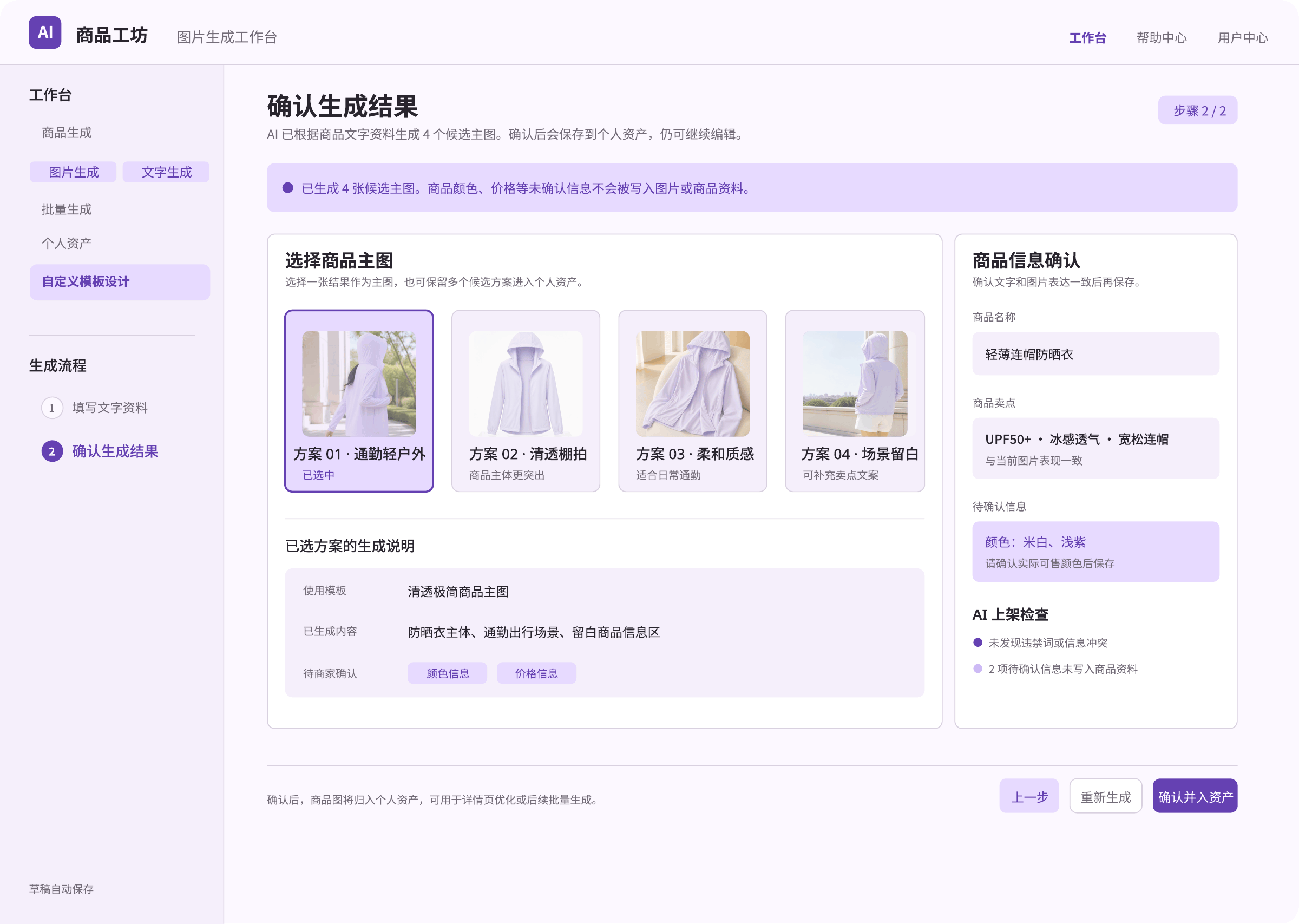
Confirm Generated Options